The Digital Scrapbook Teacher’s Website Scrapbook USA Expo Class Descriptions
Because we’re limited in our class descriptions on the Scrapbook Expo USA classes website we’ve listed our full class descriptions below.
Our products will be for sale the Scrapbook USA Expo
To Register for Scrapbook USA Expo Classes go to http://www.scrapbookusaexpo.com/classes.php
Registration opens February 17, 2010
For more digital scrapbooking fun check out our digital scrapbooking Boot Camp in the Salt Lake Area on April 9 & 10. There is also a photo editing class on April 8, 2010 at the same location.
#100 Beginning Digital Photo Editing-The Basics-Hands-On
Teacher Patty Debowski
2 hours
In this class you will learn the basics of Photoshop Elements, including how to open, edit, save and close a photo. We will change several program settings on your computer to make it easier to use. You will gain confidence and have a lot of fun in this class! Even if you think you don’t need a beginning class you will be surprised how much you’ll learn.
We’ll also show you how to easily:
- Lighten, darken, and adjust the color in photos
- Straighten photos
- Cropping essentials
- Change a photo to sepia and other color tones
- Change a color photo to black & white
- Change a color photo to black & white with a little color showing through
- Change a photo into a sketch
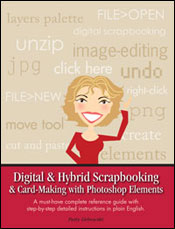
Patty is the author of Digital & Hybrid Scrapbooking & Card-Making with Photoshop Elements and founder of TheDigitalScrapbookTeacher.com! This is a hands-on workshop.
You must arrive on time and bring a laptop with any version of Photoshop ELEMENTS installed, an extension cord and computer mouse. We do not supply the computer and we will not be installing the program in class! No Photoshop ELEMENTS experience required. You may download a free 30 day trial version of Photoshop Elements at Adobe.com.
Class includes printed instructions and a DVD with more than $30 worth of digital photo editing and scrapbooking supplies.
#101 Photo Editing Intermediate-Hands-On
Teacher Patty Debowski
2 hours
In this class we’ll expand on what you learned in our beginning photo editing class which is highly suggested but not required to take this class. You’ll increase your confidence in using Photoshop Elements and be inspired when you leave class!
We’ll show you how to easily:
- Add type to a photo
- Add a talk bubble and other shapes to a photo
- Add a border to a photo
- Change the color of part of a photo like a shirt
- Blend 2 photos together
- Add an overlay to a photo
- Use filters for an artistic look
Patty is the author of Digital & Hybrid Scrapbooking & Card-Making with Photoshop Elements and founder of TheDigitalScrapbookTeacher.com! This is a hands-on workshop.
You must arrive on time and bring a laptop with any version of Photoshop ELEMENTS installed, an extension cord and computer mouse. We do not supply the computer and we will not be installing the program in class! No Photoshop ELEMENTS experience required. You may download a free 30 day trial version of Photoshop Elements at Adobe.com.
Class includes printed instructions and a DVD with more than $30 worth of digital photo editing and scrapbooking supplies.
#102 Digital Photo Editing Cosmetic Surgery-Intermediate-Hands-On
Teacher Patty Debowski
2 hours
In this class we’ll expand on what we learned in our beginning photo editing classes which are highly suggested but not required to take this class. This class is a lot of fun, be prepared to laugh a lot!
We’ll show you:
- Advanced red eye techniques
- Liposuction on specific areas
- Teeth Whitening
- Removing wrinkles
- Removing pimples, moles, scars, etc.
- Adding a smile to an unsmiling person in a photo
- Correcting Pet Eye
- Lose 10 lbs the fast and easy way
Patty is the author of Digital & Hybrid Scrapbooking & Card-Making with Photoshop Elements and founder of TheDigitalScrapbookTeacher.com! This is a hands-on workshop.
You must arrive on time bring a laptop with any version of Photoshop ELEMENTS installed, an extension cord and computer mouse. We do not supply the computer and we will not be installing the program in class! No Photoshop ELEMENTS experience required. You may download a free 30 day trial version of Photoshop Elements at Adobe.com.
Class includes printed instructions and a DVD with more than $30 worth of digital photo editing and scrapbooking supplies.
#103 Beginning Digital Scrapbooking-Hands-On
Teacher Patty Debowski
2 Hours
Come to this class and see why so many people love digital scrapbooking. We highly suggest taking our beginning photo editing classes prior to this class but it is not required. In this class we will use Photoshop Elements to make a scrapbook page using a digital quick page and a digital template.
You will learn how to use layers, add type, resize photos, recolor digital supplies, save in 2 different formats and discuss printing options, and change several settings to make Photoshop Elements more digi-scrapping friendly.
Patty is the author of Digital & Hybrid Scrapbooking & Card-Making with Photoshop Elements and founder of TheDigitalScrapbookTeacher.com! This is a hands-on workshop.
You must arrive on time and bring a laptop with any version of Photoshop ELEMENTS installed, an extension cord and computer mouse. We do not supply the computer and we will not be installing the program in class! No Photoshop ELEMENTS experience required. You may download a free 30 day trial version of Photoshop Elements at Adobe.com.
Class includes printed instructions and a DVD with more than $30 worth of digital photo editing and scrapbooking supplies.
© 2007 Patty Debowski. All rights reserved.
Photoshop & Photoshop Elements are registered trademarks of Adobe Systems Inc. Windows is a registered trademark of Microsoft Corp. Mac is a registered trademark of Apple Computer, Inc.