The Digital Scrapbook Teacher’s Website Scrapbook USA Expo Class Descriptions
Because we’re limited in our class descriptions on the Scrapbook Expo USA classes website we’ve listed our full class descriptions below.
Our products will be for sale the Scrapbook USA Expo
To Register for Scrapbook USA Expo Classes go to http://www.scrapbookusaexpo.com/classes.php
Please bring a fully charged computer, wired mouse, and extension cord to class.
We have 2 extra laptops available for your use in class. Please email us to see if the computer is available for your use (FREE). Please email us the date and time of the class you would like to use the computer for and we will tell you if it’s available.
Each class DVD is different; the class DVD alone is worth the price of the class!
Date |
Hands on Classes-Please read descriptions |
Time |
September 10, 2010-Friday |
#100 Beginning Photo Editing-The Basics |
10:30 a.m. to 12:30 p.m. |
September 10, 2010-Friday |
#103 Beginning Digital Scrapbooking Hands On |
1:00 p.m. to 3:00 p.m. |
September 10, 2010-Friday |
#106* Speed Scrapping with Digital Templates |
4:00 p.m. to 6:00 p.m. |
September 10, 2010-Friday |
#107* Photoshop Elements Brushes |
6:30 p.m. to 8:30 p.m. |
September 11, 2010-Saturday |
#104* Organizing Digital Photos |
10:30 a.m. to 12:30 p.m. |
September 11, 2010-Saturday |
#101 Intermediate Digital Photo Editing |
1:00 p.m. to 3:00 p.m. |
September 11, 2010-Saturday |
#102 Int. Digital Photo Editing-Plastic Surgery |
3:30 p.m. to 5:30 p.m. |
Sign up for our newsletter to keep updated on classes in your area.
#100 Beginning Digital Photo Editing-The Basics-Hands-On
Teacher Patty Debowski
2 hours
In this class you will learn the basics of Photoshop Elements, including how to open, edit, save and close a photo. We will change several program settings on your computer to make it easier to use. You will gain confidence and have a lot of fun in this class! Even if you think you don’t need a beginning class you will be surprised how much you’ll learn.
We’ll also show you how to easily:
- Lighten, darken, and adjust the color in photos
- Straighten photos
- Cropping essentials
- Change a photo to sepia and other color tones
- Change a color photo to black & white
- Change a color photo to black & white with a little color showing through
- Change a photo into a sketch
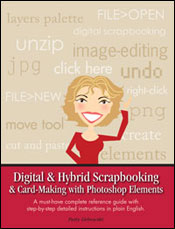
Patty is the author of Digital & Hybrid Scrapbooking & Card-Making with Photoshop Elements and founder of TheDigitalScrapbookTeacher.com! This is a hands-on workshop.
You must arrive on time and bring a fully charged laptop with any version of Photoshop ELEMENTS installed, an extension cord and a wired computer mouse. We do not supply the computer and we will not be installing the program in class! No Photoshop ELEMENTS experience required. You may download a free 30 day trial version of Photoshop Elements at Adobe.com.
Class includes printed instructions and a DVD with more than $30 worth of digital photo editing and scrapbooking supplies.
#101 Photo Editing Intermediate-Hands-On
Teacher Patty Debowski
2 hours
In this class we’ll expand on what you learned in our beginning photo editing class which is highly suggested but not required to take this class. You’ll increase your confidence in using Photoshop Elements and be inspired when you leave class!
We’ll show you how to easily:
- Add type to a photo
- Add a talk bubble and other shapes to a photo
- Add a border to a photo
- Change the color of part of a photo like a shirt
- Blend 2 photos together
- Add an overlay to a photo
- Use filters for an artistic look
Patty is the author of Digital & Hybrid Scrapbooking & Card-Making with Photoshop Elements and founder of TheDigitalScrapbookTeacher.com! This is a hands-on workshop.
You must arrive on time and bring a fully charged laptop with any version of Photoshop ELEMENTS installed, an extension cord and a wired computer mouse. We do not supply the computer and we will not be installing the program in class! No Photoshop ELEMENTS experience required. You may download a free 30 day trial version of Photoshop Elements at Adobe.com.
Class includes printed instructions and a DVD with more than $30 worth of digital photo editing and scrapbooking supplies.
#102 Digital Photo Editing Cosmetic Surgery-Intermediate-Hands-On
Teacher Patty Debowski
2 hours
In this class we’ll expand on what we learned in our beginning photo editing classes which are highly suggested but not required to take this class. This class is a lot of fun, be prepared to laugh a lot!
We’ll show you:
- Advanced red eye techniques
- Liposuction on specific areas
- Teeth Whitening
- Removing wrinkles
- Removing pimples, moles, scars, etc.
- Adding a smile to an unsmiling person in a photo
- Correcting Pet Eye
- Lose 10 lbs the fast and easy way
Patty is the author of Digital & Hybrid Scrapbooking & Card-Making with Photoshop Elements and founder of TheDigitalScrapbookTeacher.com! This is a hands-on workshop.
You must arrive on time bring a fully charged laptop with any version of Photoshop ELEMENTS installed, an extension cord and a wired computer mouse. We do not supply the computer and we will not be installing the program in class! No Photoshop ELEMENTS experience required. You may download a free 30 day trial version of Photoshop Elements at Adobe.com.
Class includes printed instructions and a DVD with more than $30 worth of digital photo editing and scrapbooking supplies.
#103 Beginning Digital Scrapbooking-Hands-On
Teacher Patty Debowski
2 Hours
Come to this class and see why so many people love digital scrapbooking. We highly suggest taking our beginning photo editing classes prior to this class but it is not required. In this class we will use Photoshop Elements to make a scrapbook page using a digital quick page and a digital template.
You will learn how to use layers, add type, resize photos, recolor digital supplies, save in 2 different formats and discuss printing options, and change several settings to make Photoshop Elements more digi-scrapping friendly.
Patty is the author of Digital & Hybrid Scrapbooking & Card-Making with Photoshop Elements and founder of TheDigitalScrapbookTeacher.com! This is a hands-on workshop.
You must arrive on time and bring a fully charged laptop with any version of Photoshop ELEMENTS installed, an extension cord and a wired computer mouse. We do not supply the computer and we will not be installing the program in class! No Photoshop ELEMENTS experience required. You may download a free 30 day trial version of Photoshop Elements at Adobe.com.
Class includes printed instructions and a DVD with more than $30 worth of digital photo editing and scrapbooking supplies.
#104 Organizing Digital Photos-Hands-On New for Fall 2010
Teacher Patty Debowski
2 hours
Patty is the author of Digital & Hybrid Scrapbooking & Card-Making with Photoshop Elements and founder of TheDigitalScrapbookTeacher.com!
Because digital photos are “free” we take a lot of them! The big problem is that all of those “free” photos are filling up our computers and external hard drives and we can’t find the photos we need. Even if you think you’re pretty organized this class will save you hours of time and is one of the best classes we teach.
We’ll show you how to easily organize your photos by event, person in the photo, date, and quality (your favorites) using the Photoshop Elements Organizer (Windows version only). Imagine finding your favorite photos in seconds!
This is a hands-on workshop. You must bring a fully charged laptop with any WINDOWS version of Photoshop ELEMENTS installed, an extension cord and a wired computer mouse. Sorry, Adobe did not include the Organizer feature in the MAC version of Photoshop ELEMENTS. No Photoshop ELEMENTS experience required. We do not supply the computer and we will not be installing the program in class!
Workshop kit worth approximately $30.00 included. Please Bring: laptop with any version of Windows-Photoshop ELEMENTS (INSTALLED PRIOR TO CLASS), extension cord, computer mouse, pen and paper to take notes if desired.
#106 Speed Scrapping with Digital Templates-Hands On New for Fall 2010
Teacher Patty Debowski
2 hours
Got piles or files of photos waiting to be scrapped? Have you tried to follow a sketch in a magazine and ended up frustrated? A digital template is a FAST and EASY way to make a great page in minutes. We’ll even throw in a bunch of scanning tips to help you speed up your scrapping. Bring a laptop with Photoshop Elements installed and get ready to accomplish a lot.
Workshop kit worth approximately $20.00 included along with printed instructions.
This is a hands-on workshop. You must arrive on time and bring a fully charged laptop with any version of Photoshop ELEMENTS (INSTALLED PRIOR TO CLASS), an extension cord and wired computer mouse, pen and paper to take notes if desired, and 6 digital photos. We do not supply the computer and we will not be installing the program in class! You may download a free 30 day trial version of Photoshop Elements at Adobe.com.
#107 Using Brushes with Photoshop Elements-Hands On New for Fall 2010
Teacher Patty Debowski
2 hours
This class added due to many requests! Photoshop brushes can be used like rubber stamps, punches, die cuts and more in any size and color without the hassle of stamp pads and storage issues. You’ll learn how to digitally emboss, and add grunge (with no mess) using digital brushes, IT’S EASY! With a digital brush you can stamp in any size and color without ever buying another stamp pad, plus..they're neatly hidden in your computer requiring no special storage boxes.
**We will also show you how to make your own digital papers using our Grunge Brushes!
Workshop kit worth approximately $20.00 included along with printed instructions.
This is a hands-on workshop. You must arrive on time and bring a fully charged laptop with any version of Photoshop ELEMENTS (INSTALLED PRIOR TO CLASS), an extension cord and wired computer mouse, pen and paper to take notes if desired, and 6 digital photos. We do not supply the computer and we will not be installing the program in class! You may download a free 30 day trial version of Photoshop Elements at Adobe.com.
© 2007 Patty Debowski. All rights reserved.
Photoshop & Photoshop Elements are registered trademarks of Adobe Systems Inc. Windows is a registered trademark of Microsoft Corp. Mac is a registered trademark of Apple Computer, Inc.